TypeScript for AI Apps in Node.js (2026)
LLM responses arrive as untyped JSON at runtime. A model that was returning { summary: string } yesterday starts returning { summary: string, confidence: number } after a prompt tweak — and your downstream code breaks silently. TypeScript cannot catch what happens at the API boundary, but it can enforce the contract everywhere else. This post shows how to do that correctly with both the OpenAI and Vertex AI SDKs.
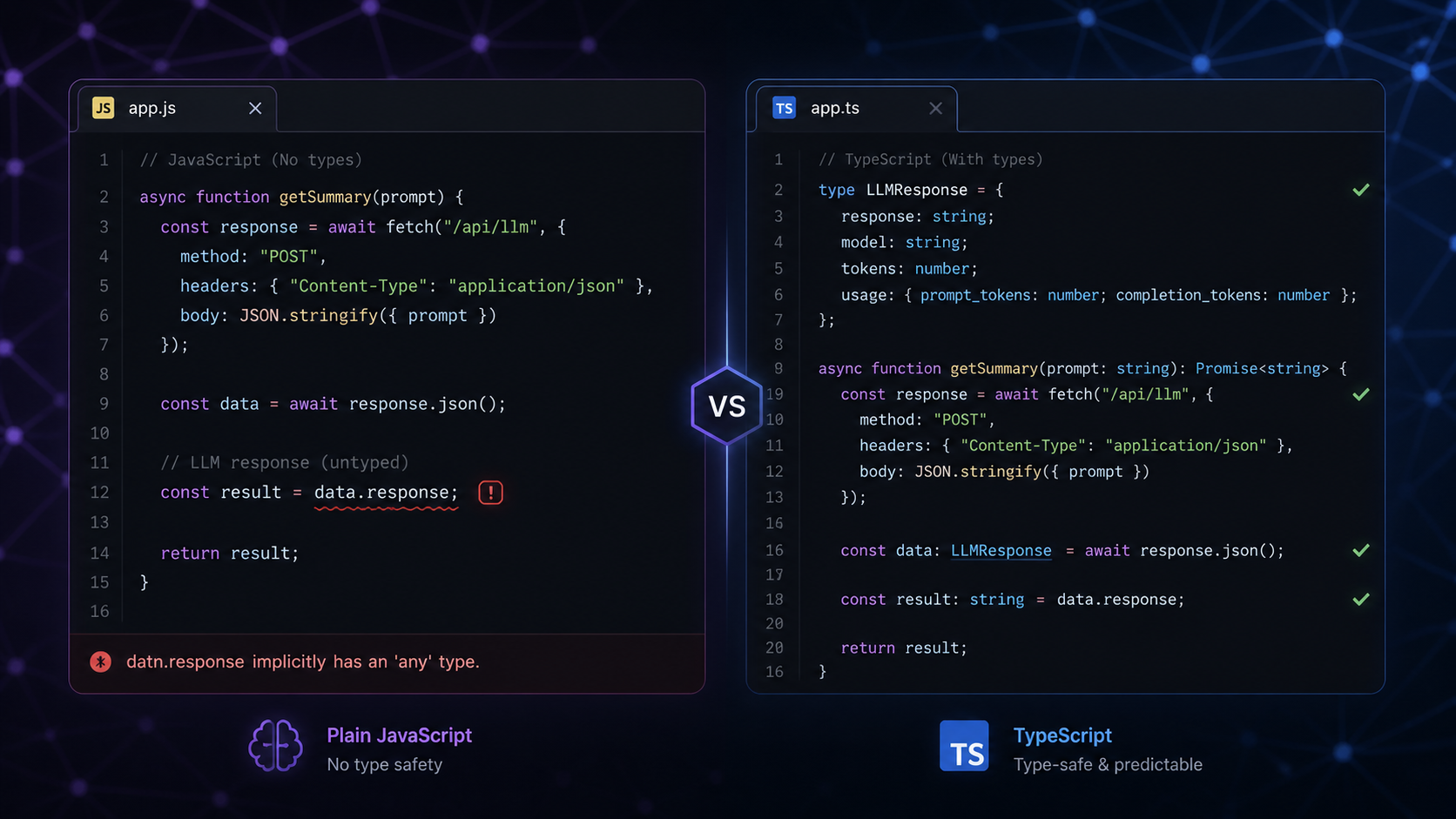
If you're coming from JavaScript vs TypeScript and wondering how TypeScript applies to real AI work, this is the practical answer.
Setting Up a TypeScript Node.js Project for AI
npm init -y
npm install typescript ts-node @types/node --save-dev
npm install openai @google-cloud/vertexai zod
npx tsc --init
Minimal tsconfig.json for a Node.js AI service:
{
  "compilerOptions": {
    "target": "ES2022",
    "module": "NodeNext",
    "moduleResolution": "NodeNext",
    "strict": true,
    "outDir": "./dist",
    "rootDir": "./src",
    "esModuleInterop": true
  },
  "include": ["src/**/*"]
}
strict: true is non-negotiable for AI applications. It enables strictNullChecks, which forces you to handle the cases where an LLM returns nothing, a field is missing, or a response candidate is undefined — the exact errors that bite you in production.
The Core Problem: LLM Responses Are Untyped at the Boundary
Both the OpenAI and Vertex AI SDKs return typed objects for the response envelope — status codes, token counts, model name. But the actual content — the text or JSON your model generated — is always string. TypeScript has no way to verify that a string containing '{"name":"Alice","age":30}' actually matches your User interface.
This is where most developers stop thinking about types and start writing as any. That is the wrong move.
The right pattern is a two-layer approach:
- TypeScript interfaces — describe the shape you expect
- Runtime validation (Zod) — verify the shape actually arrived
Typing the OpenAI SDK
The OpenAI Node.js SDK is fully typed. The response types are exported and you should import them explicitly rather than letting TypeScript infer them.
import OpenAI from 'openai';
import type {
  ChatCompletion,
  ChatCompletionMessageParam,
  ChatCompletionCreateParamsNonStreaming,
} from 'openai/resources/chat/completions';

const client = new OpenAI({ apiKey: process.env.OPENAI_API_KEY });

async function complete(
  messages: ChatCompletionMessageParam[],
  model = 'gpt-4o'
): Promise<string> {
  const params: ChatCompletionCreateParamsNonStreaming = {
    model,
    messages,
    temperature: 0.7,
    max_tokens: 1024,
  };

  const response: ChatCompletion = await client.chat.completions.create(params);

  const content = response.choices[0]?.message?.content;
  if (!content) throw new Error('Empty response from OpenAI');

  return content;
}
The ?. chains are required because choices[0] and message.content are typed as potentially undefined by the SDK — and correctly so. An LLM can return a finish reason of content_filter with no content. strict: true forces you to handle this instead of silently getting undefined in production.
Typing the Vertex AI SDK
The Vertex AI SDK types are less ergonomic but the same principle applies:
import { VertexAI } from '@google-cloud/vertexai';
import type {
  GenerateContentRequest,
  GenerateContentResult,
} from '@google-cloud/vertexai';

const vertex = new VertexAI({
  project: process.env.GCP_PROJECT_ID!,
  location: 'us-central1',
});

const geminiModel = vertex.getGenerativeModel({ model: 'gemini-1.5-pro' });

async function generateWithGemini(prompt: string): Promise<string> {
  const request: GenerateContentRequest = {
    contents: [{ role: 'user', parts: [{ text: prompt }] }],
    generationConfig: { maxOutputTokens: 1024, temperature: 0.7 },
  };

  const result: GenerateContentResult = await geminiModel.generateContent(request);

  const text = result.response.candidates?.[0]?.content?.parts?.[0]?.text;
  if (!text) throw new Error('Empty response from Vertex AI');

  return text;
}
See the Vertex AI setup guide if you haven't configured authentication yet — that's a prerequisite before this code works.
Typed Prompt Builders
Constructing prompts by string concatenation is error-prone. A typed builder makes prompt construction refactorable and testable:
interface SummariseRequest {
  text: string;
  maxWords: number;
  tone: 'formal' | 'casual' | 'bullet-points';
}

function buildSummarisePrompt(req: SummariseRequest): ChatCompletionMessageParam[] {
  return [
    {
      role: 'system',
      content: `You are a summarisation assistant. Always respond in ${req.tone} tone. Keep the summary under ${req.maxWords} words.`,
    },
    {
      role: 'user',
      content: `Summarise the following text:\n\n${req.text}`,
    },
  ];
}

const messages = buildSummarisePrompt({
  text: articleBody,
  maxWords: 100,
  tone: 'bullet-points',
});

const summary = await complete(messages);
The union type on tone gives you autocomplete and a compile-time error if you pass 'informal'. Changing the tone options is now a single-point refactor instead of a grep-and-replace across prompt strings.
Structured Output with Zod
When you need the LLM to return JSON — for data extraction, classification, or any structured task — Zod is the right tool to validate the runtime shape.
import { z } from 'zod';

const ProductReviewSchema = z.object({
  sentiment: z.enum(['positive', 'negative', 'neutral']),
  score: z.number().min(1).max(10),
  keyPoints: z.array(z.string()).max(5),
  recommendsPurchase: z.boolean(),
});

type ProductReview = z.infer<typeof ProductReviewSchema>;

async function analyseReview(reviewText: string): Promise<ProductReview> {
  const messages: ChatCompletionMessageParam[] = [
    {
      role: 'system',
      content: `Analyse the product review and return a JSON object with this exact shape:
{
  "sentiment": "positive" | "negative" | "neutral",
  "score": number between 1 and 10,
  "keyPoints": array of up to 5 key points as strings,
  "recommendsPurchase": boolean
}
Return only the JSON object, no markdown, no explanation.`,
    },
    { role: 'user', content: reviewText },
  ];

  const raw = await complete(messages, 'gpt-4o');

  let parsed: unknown;
  try {
    parsed = JSON.parse(raw);
  } catch {
    throw new Error(`LLM returned non-JSON: ${raw.slice(0, 100)}`);
  }

  return ProductReviewSchema.parse(parsed);
}
ProductReviewSchema.parse() throws a ZodError with a clear field-level message if the LLM returns something unexpected — score: "8" (string instead of number), a missing field, or an out-of-range value. You catch this at the boundary rather than letting a type assertion lie to you for 3 days until a user hits a runtime crash.
z.infer<typeof ProductReviewSchema> derives the TypeScript type from the Zod schema — one source of truth, no duplication.
Using OpenAI's Native JSON Mode
When using OpenAI, you can enforce JSON output at the API level — the model will not return non-JSON when response_format is set:
async function structuredComplete<T>(
  messages: ChatCompletionMessageParam[],
  schema: z.ZodSchema<T>
): Promise<T> {
  const response = await client.chat.completions.create({
    model: 'gpt-4o',
    messages,
    response_format: { type: 'json_object' },
    temperature: 0,
  });

  const raw = response.choices[0]?.message?.content;
  if (!raw) throw new Error('Empty response');

  return schema.parse(JSON.parse(raw));
}

// Usage
const review = await structuredComplete(messages, ProductReviewSchema);
// review is typed as ProductReview — fully inferred
temperature: 0 is correct for structured output — you want deterministic JSON, not creative variation in field names.
Typed Streaming Responses
Streaming requires a different type path — the return is an AsyncIterable of chunks, not a single response:
import type { Stream } from 'openai/streaming';
import type { ChatCompletionChunk } from 'openai/resources/chat/completions';

async function streamToConsole(prompt: string): Promise<void> {
  const stream: Stream<ChatCompletionChunk> = await client.chat.completions.create({
    model: 'gpt-4o',
    messages: [{ role: 'user', content: prompt }],
    stream: true,
  });

  for await (const chunk: ChatCompletionChunk of stream) {
    const text = chunk.choices[0]?.delta?.content ?? '';
    process.stdout.write(text);
  }
}
For Express, pipe chunks to the HTTP response:
async function streamToResponse(prompt: string, res: Response): Promise<void> {
  res.setHeader('Content-Type', 'text/event-stream');
  res.setHeader('Cache-Control', 'no-cache');

  const stream = await client.chat.completions.create({
    model: 'gpt-4o',
    messages: [{ role: 'user', content: prompt }],
    stream: true,
  });

  for await (const chunk of stream) {
    const text = chunk.choices[0]?.delta?.content ?? '';
    if (text) res.write(`data: ${JSON.stringify({ text })}\n\n`);
  }

  res.write('data: [DONE]\n\n');
  res.end();
}
Typed Logger for AI Calls
Production AI applications need to track latency and token usage per call. A typed logger makes this consistent across providers — and ties into the monitoring patterns covered in How to Monitor AI Pipelines in Production.
interface AICallLog {
  provider: 'openai' | 'vertexai';
  model: string;
  promptTokens: number;
  completionTokens: number;
  latencyMs: number;
  success: boolean;
  error?: string;
}

async function trackedComplete(
  messages: ChatCompletionMessageParam[],
  model = 'gpt-4o'
): Promise<string> {
  const start = Date.now();
  const log: Partial<AICallLog> = { provider: 'openai', model };

  try {
    const response = await client.chat.completions.create({ model, messages });
    const content = response.choices[0]?.message?.content ?? '';

    log.promptTokens = response.usage?.prompt_tokens ?? 0;
    log.completionTokens = response.usage?.completion_tokens ?? 0;
    log.latencyMs = Date.now() - start;
    log.success = true;

    console.log(JSON.stringify(log as AICallLog));
    return content;
  } catch (error) {
    log.latencyMs = Date.now() - start;
    log.success = false;
    log.error = error instanceof Error ? error.message : String(error);
    console.error(JSON.stringify(log));
    throw error;
  }
}
Partial<AICallLog> during construction, then as AICallLog on the log call after all fields are set — this pattern lets TypeScript confirm you've populated every required field before logging.
TypeScript vs JavaScript for AI Applications
| JavaScript | TypeScript | |
|---|---|---|
| LLM response contract | Implicit, breaks at runtime | Explicit, caught at compile time |
| Prompt builders | String concatenation | Typed interfaces, autocomplete |
| Zod validation | Works, but types not derived | Schema is the single source of truth |
| SDK autocomplete | Partial | Full, with docs inline |
| Refactoring prompts | Manual grep | Compiler-guided |
| Team onboarding | Understand by reading | Understand by hovering |
The JavaScript vs TypeScript tradeoff post covers when to pick each language in general. For AI applications specifically, the answer is almost always TypeScript — LLM output is unpredictable enough that you want every other layer of your stack to be as explicit as possible.
What to Type, What to Skip
Not everything needs heavy typing. A rough guide:
Type carefully:
- LLM response parsing and Zod schemas
- Prompt builder input interfaces
- The AI call logger / telemetry struct
- Any function whose return type feeds downstream business logic
Keep lightweight:
- One-off scripts and experiments
- Internal utility functions with obvious return types (let TypeScript infer)
- Test fixtures
The RAG Architecture post uses plain JavaScript for the pipeline examples — the typing patterns from this post apply directly to that code if you are building the same pipeline in TypeScript.
The combination of TypeScript interfaces for compile-time guarantees and Zod schemas for runtime validation covers both failure modes in AI development: the shape you assumed the LLM would return, and the shape it actually returned at 2am on a Tuesday. Any AI engineer building production LLM features in Node.js should have both layers in place before going live. These same patterns translate directly to the REST API layer that wraps your AI logic — Node.js TypeScript REST API Guide covers typed route handlers, error middleware, and typed env configuration for the API that exposes your AI features.
Frequently Asked Questions
Do I need TypeScript for OpenAI or Vertex AI development in Node.js?
You don't need it, but TypeScript significantly reduces runtime errors in AI applications. LLM responses are untyped at the API boundary — TypeScript with Zod validation catches shape mismatches before they reach production logic. For any production AI app, TypeScript is the right default.
What is Zod and why use it with LLM responses in TypeScript?
Zod is a TypeScript-first schema validation library. Since TypeScript interfaces only exist at compile time, they cannot validate JSON arriving from an LLM at runtime. Zod validates the actual shape of the parsed JSON and throws a detailed error if any field is missing, the wrong type, or out of range — exactly what you need at the API boundary.
What TypeScript strict settings should I use for an AI application?
Set strict: true in tsconfig.json. This enables strictNullChecks, which forces you to handle undefined values from LLM responses — missing choices, empty content, or filtered completions. These are exactly the silent runtime failures that break production AI apps at 2am.
How do I type streaming responses from OpenAI in TypeScript?
Use the Stream<ChatCompletionChunk> type from openai/streaming. Each chunk in the AsyncIterable has the type ChatCompletionChunk, with the incremental text in chunk.choices[0]?.delta?.content. Use optional chaining because delta.content can be undefined for the final chunk.
Can I use TypeScript with both OpenAI and Vertex AI in the same Node.js project?
Yes. Import ChatCompletion and related types from openai/resources/chat/completions for OpenAI, and GenerateContentRequest / GenerateContentResult from @google-cloud/vertexai for Vertex AI. Both SDKs ship full TypeScript definitions and coexist fine in the same project.