bcrypt in Node.js: Password Hashing Guide
Storing passwords in plaintext got companies sued. Storing them as MD5 hashes got them pwned anyway. The correct answer is bcrypt — and if you're using Node.js, bcryptjs is the library to reach for. This post explains why bcrypt works, how to use it correctly, and what most developers get wrong.
Why Fast Hash Functions Are Dangerous for Passwords
SHA-256 and MD5 are designed to be fast. That's a feature for checksums and data integrity — but it's a serious problem for passwords.
A modern GPU can compute billions of SHA-256 hashes per second. If an attacker gets your database and finds SHA-256 password hashes, they can run a dictionary attack — hashing millions of common passwords and comparing — and crack most accounts in minutes.
The numbers:
- MD5: ~50 billion hashes/second on commodity hardware
- SHA-256: ~10 billion hashes/second
- bcrypt (cost 10): ~20 hashes/second on the same hardware
That difference is intentional. bcrypt is slow by design.
What Makes bcrypt Different
bcrypt does two things that separate it from general-purpose hash functions:
1. It's intentionally slow. bcrypt uses a key stretching algorithm — it runs 2^cost iterations of its internal key schedule. At cost 10, that's 1,024 iterations. At cost 12, it's 4,096. Each increase of 1 doubles the computation time. This makes brute-force attacks expensive even on modern hardware.
2. It salts automatically. Every bcrypt call generates a fresh random 128-bit salt and embeds it in the output string. This means the same password hashed twice produces two completely different strings — both will verify correctly. Rainbow table attacks (precomputed hash lookups) become useless.
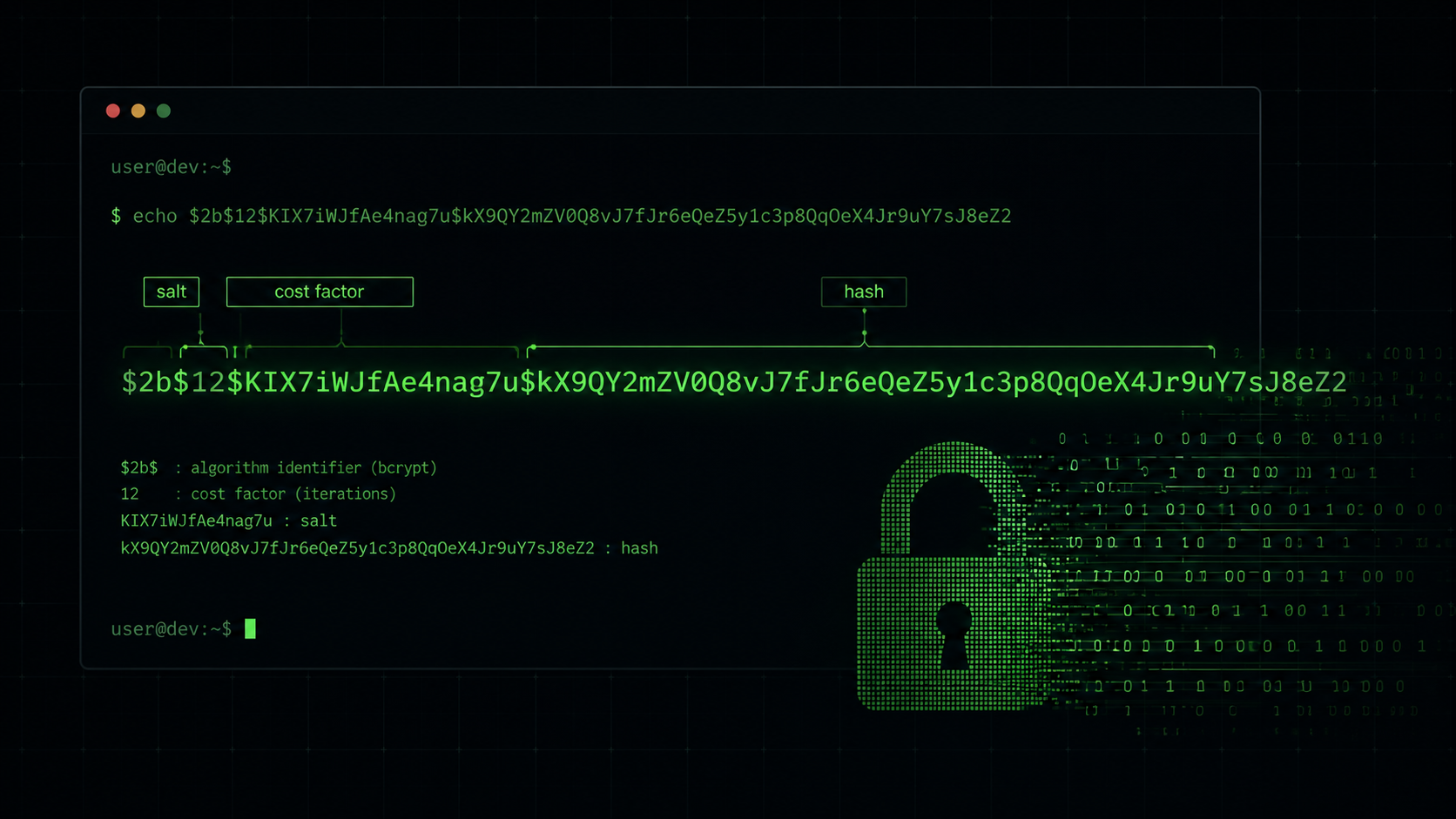
A bcrypt hash looks like this:
$2b$12$K8LkKnMlJ3V5Q2ZqrZPcSe3h9Mxi2K6NZnXKJnN9VrFJfDVxnDKDS
 ──  ──  ────────────────────  ────────────────────────────────
 │   │   22-char salt           31-char hash
 │   └── cost factor (12)
 └────── algorithm version (2b)
The cost factor and salt are stored alongside the hash — no extra columns needed.
Installing bcryptjs
npm install bcryptjs
bcryptjs is the pure-JavaScript implementation — no native binaries, works everywhere (Node.js, Bun, Edge runtimes, browsers). The alternative bcrypt package uses native C++ bindings and is faster in CPU-heavy benchmarks, but bcryptjs is simpler to deploy and the difference rarely matters in practice.
Hashing a Password
import bcrypt from 'bcryptjs';

const COST_FACTOR = 12;

async function hashPassword(plaintext) {
  return bcrypt.hash(plaintext, COST_FACTOR);
}

const hashed = await hashPassword('hunter2');
console.log(hashed);
// $2b$12$... (60-character string — store this in your database)
bcrypt.hash() handles the salt automatically. You never pass a salt manually — that's the point. The function returns a 60-character string you store directly in your users table. You can generate real bcrypt hashes from any password with the bcrypt generator tool — it runs entirely in your browser, nothing is transmitted.
If you need to generate the salt manually for any reason (rare):
const salt = await bcrypt.genSalt(12);
const hash = await bcrypt.hash('hunter2', salt);
Verifying a Password
async function verifyPassword(plaintext, storedHash) {
  return bcrypt.compare(plaintext, storedHash);
}

const isValid = await verifyPassword('hunter2', hashed);
console.log(isValid); // true

const isInvalid = await verifyPassword('wrong-password', hashed);
console.log(isInvalid); // false
bcrypt.compare() extracts the salt from the stored hash, re-hashes the candidate password with that same salt and cost, and does a constant-time comparison. You never need to extract the salt yourself.
Do not use === to compare hashes. String comparison is not constant-time and leaks timing information. Always use bcrypt.compare().
Choosing the Right Cost Factor
The OWASP recommendation (2023) is cost 10 as a minimum, cost 12 preferred for new systems. The right number depends on your hardware — the goal is that hashing takes roughly 100–300ms on your production server.
Benchmark on your actual hardware before deciding:
async function benchmarkCost(targetMs = 200) {
  for (let cost = 10; cost <= 14; cost++) {
    const start = Date.now();
    await bcrypt.hash('benchmark-password', cost);
    const elapsed = Date.now() - start;
    console.log(`Cost ${cost}: ${elapsed}ms`);
    if (elapsed >= targetMs) {
      console.log(`\nRecommended cost for this server: ${cost}`);
      break;
    }
  }
}

await benchmarkCost();
Typical results on a modern server:
| Cost | Iterations | Time (approx.) |
|---|---|---|
| 10 | 1,024 | 60–100ms |
| 12 | 4,096 | 200–400ms |
| 13 | 8,192 | 400–800ms |
| 14 | 16,384 | 800ms–1.5s |
Cost 12 is the sweet spot for most production APIs. You can test cost factors interactively with the bcrypt generator tool.
A Complete Auth Flow in Express
import express from 'express';
import bcrypt from 'bcryptjs';

const router = express.Router();
const COST_FACTOR = 12;

// Registration
router.post('/register', async (req, res) => {
  const { email, password } = req.body;

  if (!password || password.length < 8) {
    return res.status(400).json({ error: 'Password must be at least 8 characters.' });
  }

  const hashedPassword = await bcrypt.hash(password, COST_FACTOR);

  await db.users.create({ email, password: hashedPassword });

  res.status(201).json({ message: 'Account created.' });
});

// Login
router.post('/login', async (req, res) => {
  const { email, password } = req.body;

  const user = await db.users.findOne({ where: { email } });

  // Use a dummy compare to prevent timing-based user enumeration
  const dummyHash = '$2b$12$invalidhashpadding000000000000000000000000000000000000000';
  const storedHash = user?.password ?? dummyHash;

  const isValid = await bcrypt.compare(password, storedHash);

  if (!user || !isValid) {
    return res.status(401).json({ error: 'Invalid email or password.' });
  }

  // Issue session / JWT here
  res.json({ message: 'Logged in.' });
});
The dummy hash in the login handler matters. Without it, a failed user lookup returns immediately — noticeably faster than a successful lookup that then fails the password check. That timing difference tells attackers which email addresses are registered. The dummy compare keeps the response time consistent regardless of whether the user exists.
Password Rehashing on Login
bcrypt cost factors should increase over time as hardware gets faster. When a user logs in successfully, check whether their stored hash was made with your current cost factor, and silently upgrade it if not:
async function loginWithRehash(email, plaintext) {
  const user = await db.users.findOne({ where: { email } });
  if (!user) return null;

  const isValid = await bcrypt.compare(plaintext, user.password);
  if (!isValid) return null;

  // Upgrade if cost factor is outdated
  const currentCost = bcrypt.getRounds(user.password);
  if (currentCost < COST_FACTOR) {
    const newHash = await bcrypt.hash(plaintext, COST_FACTOR);
    await db.users.update({ password: newHash }, { where: { id: user.id } });
  }

  return user;
}
This lets you raise the cost factor in your config and have hashes gradually migrate over time without forcing a password reset.
bcrypt vs scrypt vs Argon2
bcrypt is the industry default for a reason — it's been battle-tested for 25 years with no known practical attacks. But it's worth knowing where the alternatives fit:
| Algorithm | Memory-hard | GPU resistance | Node.js support | Recommended when |
|---|---|---|---|---|
| bcrypt | No | Good | bcryptjs (pure JS) | Most web apps |
| scrypt | Yes | Excellent | Built into crypto | High-security apps, no deps preferred |
| Argon2 | Yes | Best | argon2 package | New systems where Argon2 is available |
Argon2id is the current OWASP top recommendation for new systems because of its memory-hardness (making GPU attacks even more expensive). For most existing Node.js projects, bcrypt is a practical, secure, well-supported choice that you should not feel pressure to replace.
Common Mistakes
Using bcrypt.hashSync() in a web server. The sync variant blocks the Node.js event loop for the entire duration of the hash operation — 200–400ms at cost 12. Under any meaningful load, this kills throughput. Always use the async bcrypt.hash().
Hashing the hash. Some developers hash the password on the client before sending it, then hash again on the server. The server-side hash is what matters — client-side hashing just moves the problem and can introduce new vulnerabilities. Hash only on the server.
Setting cost too low. Cost 8 was fine in 2010. Modern hardware has made it trivial. Use cost 10 minimum, 12 in new projects.
Not validating password length before hashing. bcrypt silently truncates input to 72 bytes. A 73-character password and a 72-character password with the same first 72 bytes will produce the same hash. Enforce a reasonable max length (128 characters is common) and document this behavior.
if (password.length > 128) {
  return res.status(400).json({ error: 'Password too long.' });
}
bcrypt is the boring, correct answer for password hashing in Node.js. Use bcryptjs, set cost 12, always use bcrypt.compare() for verification, and handle the timing-safe login path. If you want to test hash output before wiring it into your app, the bcrypt generator runs entirely in the browser — nothing is transmitted. For generating strong passwords to test with, the password generator is right next to it. For the broader picture of auth security — reset flows, rate limiting, and credential stuffing defence — see password security best practices for web developers. And if you want to understand the cryptographic randomness behind bcrypt's salt generation, cryptographic randomness in JavaScript covers exactly why Math.random() is never the right choice there.
Frequently Asked Questions
What is the difference between bcrypt and bcryptjs in Node.js?
bcrypt uses native C++ bindings for better CPU performance, while bcryptjs is a pure JavaScript implementation that works anywhere Node.js runs — including Edge runtimes, Bun, and serverless environments — without native compilation. For most web applications, bcryptjs is the safer, simpler choice.
What is bcryptjs and how is it different from the bcrypt package?
bcryptjs is a pure JavaScript implementation of the bcrypt algorithm with no native bindings. Unlike the bcrypt npm package which requires C++ compilation during install, bcryptjs works in any JavaScript runtime — Node.js, Bun, Deno, Cloudflare Workers, and serverless edge environments. It is slightly slower in CPU benchmarks but more portable, and for typical web app load the difference is negligible.
What cost factor should I use for bcrypt in production?
OWASP recommends a minimum of cost 10 and prefers cost 12 for new systems. The goal is that hashing takes roughly 100–300ms on your production server. Benchmark your specific hardware using the script in this post and pick the cost where it hits around 200ms.
Why does bcrypt truncate passwords at 72 bytes?
bcrypt was designed with a 72-byte input limit due to its internal Blowfish cipher. A 73-character password and a 72-character password with the same first 72 bytes will produce the same hash. Always enforce a maximum password length of 128 characters so this limitation is visible to users.
Is bcrypt still secure for password hashing in 2026?
Yes. bcrypt has no known practical attacks after 25+ years and remains the industry standard for web application password hashing. Argon2id is the current OWASP top recommendation for new systems due to memory-hardness, but bcrypt is a perfectly secure and practical choice for existing Node.js projects.
Does bcrypt.hashSync block the Node.js event loop?
Yes. bcrypt.hashSync() is synchronous and blocks the Node.js event loop for the full duration of the hashing operation — up to 400ms at cost 12. Under any server load, this stalls all other requests. Always use the async bcrypt.hash() in web server and API route code.
What does the $2b$12$ prefix in a bcrypt hash mean?
The $2b$ prefix identifies the bcrypt algorithm version (2b is the current standard). The $12$ is the cost factor — the algorithm runs 2^12 = 4,096 rounds internally. The next 22 characters are the base64-encoded salt, and the final 31 characters are the hash. The full string is always 60 characters and is self-contained — no separate salt column needed.
How do I prevent timing attacks when verifying passwords with bcrypt?
Always use bcrypt.compare() — never === or any other string comparison. bcrypt.compare() performs a constant-time comparison. In login flows, also run a dummy compare when the user is not found to prevent timing-based user enumeration attacks where response time reveals which email addresses exist in your database.